Step-by-step instructions
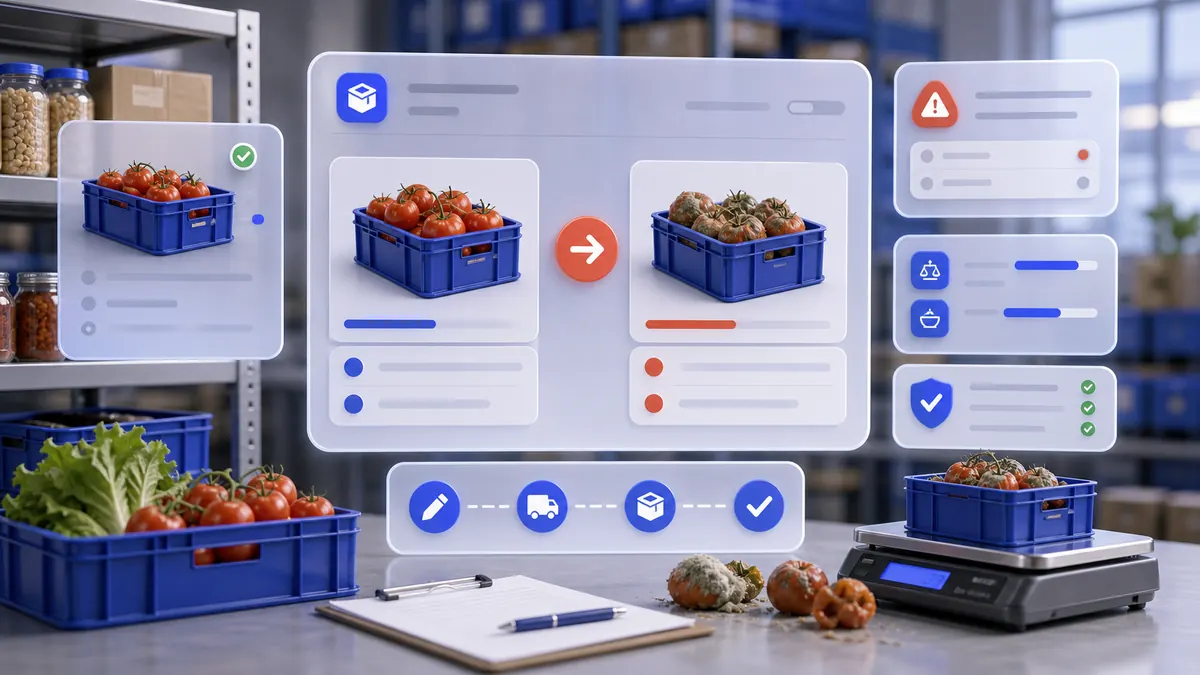
A manager can create a controlled inventory write-off that decreases the correct warehouse, explains the loss reason, stores the affected product lines, and remains reliable for stock history, reports, support, and future AI agents.
Use the interactive screenshot walkthrough first. Switch steps with the step dots, then read what to fill and why it matters.
Fields on this screen
Write-offs list
How to fill: Open Write-offs and check existing rows before adding another document.
Why: Duplicate write-offs can reduce stock twice and distort loss reports.
Add
How to fill: Click Add in the top-right corner to create a write-off draft.
Why: The draft opens the form and assigns a document ID.
Write-off date
How to fill: Confirm the date and time of the actual loss.
Why: Stock history and reports need the loss in the correct period.
From warehouse
How to fill: Open the warehouse list and choose the location where stock should decrease.
Why: This is the warehouse that loses inventory.
Reason
How to fill: Open Reason and select a controlled reason such as Spoiled product, Expired, Broken, or Inventory correction.
Why: Reason categories make losses explainable and reportable.
Comment
How to fill: Type a short note with the operational context.
Why: A useful comment tells managers what happened without opening every item line.
Select product
How to fill: Open Select product, search by name, and select the exact product or ingredient row.
Why: Only real product rows can update stock correctly.
Gross
How to fill: Enter the physical quantity removed from storage.
Why: Gross captures the amount inspected or removed.
Net
How to fill: Enter the quantity that should count as the stock decrease after loss or adjustment.
Why: For spoilage, Net can be lower than Gross when part of the quantity remains usable.
Add line
How to fill: Click Add after product and quantities are correct.
Why: The product is not part of the write-off until it is added as a line.
Save
How to fill: Save after date, warehouse, reason, comment, and lines are checked.
Why: Only saved write-offs become reliable stock history.
Verify row
How to fill: Return to the Write-offs list and verify date, type, warehouse, reason, contents, and comment.
Why: List verification proves the row was written and loaded back from the real database.
Common mistakes
- Saving a write-off before adding item lines.
- Choosing the wrong warehouse and reducing stock in the wrong location.
- Using a generic or incorrect reason that hides why inventory was lost.
- Typing a comment that does not explain the real operational context.
- Selecting a similar product without searching and confirming the exact row.
- Entering quantity in a different unit than the product unit.
- Confusing Gross and Net when spoilage, trimming, shrinkage, or partial recovery exists.
- Treating a write-off as a supplier supply, warehouse transfer, order sale, or finance payment.
- Editing write_offs directly in Supabase without refreshing loadwriteoff, loadstorage, and loadproduct.
- Using type '=' for write-offs; '=' is for transfer documents, while write-offs should use type '-'.
AI Agent Field Reference for implementation
This block is intentionally below the human instructions. It explains storage names and downstream dependencies for automation, support, and future AI agents.
| Field | Stored as | Purpose | Why it matters |
|---|---|---|---|
| Write-off ID | write_offs.id / WriteOffStruct.ID | Unique write-off document identifier. | Stock history, support, reports, audit, imports, and AI agents need a stable document ID. |
| Write-off type | write_offs.type = "-" | Document type marker for a stock decrease. | Write-offs share the write_offs table with transfers, so the '-' type keeps loss documents distinct from transfer rows. |
| Company | write_offs.company | Company workspace that owns the write-off. | Prevents stock loss documents from leaking between companies. |
| Write-off date | write_offs.date / WriteOffStruct.Date | Date and time when inventory was written off. | Inventory history, loss reports, shift review, and audit explanations depend on the correct event date. |
| From warehouse | write_offs.storage / WriteOffStruct.Storage | Warehouse or storage ID where stock decreases. | The selected storage is the location whose stock is reduced. |
| Reason | write_offs.reasons / WriteOffStruct.Reasons | Reason object selected from write_off_reasons. | Explains why the product is removed from usable stock and supports loss analysis. |
| Comment | write_offs.comment / WriteOffStruct.Comment | Short operational note. | Comments explain the real context, such as spoilage during prep, expiration, breakage, or inventory correction. |
| Items | write_offs.items[] / WriteOffStruct.Items[] | List of products or ingredients being written off. | A write-off only changes inventory correctly when each affected product is recorded as a line item. |
| Item ID | write_offs.items[].ID | Unique movement line ID. | Line IDs let support, audit, imports, and AI explanations refer to a specific product movement. |
| Item date | write_offs.items[].date | Date stored on the item movement line. | Keeps line-level stock movement aligned with the document date. |
| Item movement type | write_offs.items[].Type = - | Stock movement direction for the item line. | The '-' marker indicates that this item decreases stock. |
| Product | write_offs.items[].Product | Product, ingredient, packaging, semi-finished product, modifier, or technical card ID. | This is the exact stock item whose quantity is reduced. |
| Specification / variant | write_offs.items[].specifications | Optional product specification or variant IDs. | Use only when the selected product has controlled variants; otherwise leave empty. |
| Gross quantity | write_offs.items[].Gross | Physical quantity removed before loss adjustments. | Gross records how much stock was checked or removed. |
| Net quantity | write_offs.items[].Net | Quantity counted as net loss after adjustment. | For spoilage, shrinkage, or prep loss, Net can differ from Gross and should reflect the real usable-stock impact. |
| Unit | products.unit_of_measurement | Measurement unit shown for the selected product, such as kg, pcs, l, oz, pack, or hours. | Quantity without the unit is ambiguous for staff, reports, and AI agents. |
| Line storage | write_offs.items[].Storage | Warehouse ID copied onto the item line. | Keeps each line tied to the storage location affected by the write-off. |
| Line reason | write_offs.items[].Reasion | Reason ID copied onto the item line. | Preserves the reason when item lines are analyzed separately from the document header. |
| Line comment | write_offs.items[].Comment | Line-level note when present. | Useful for product-specific loss details inside one document. |
| Price | write_offs.items[].Price | Unit cost value when present. | Can support loss valuation, but the basic write-off workflow often stores zero. |
| Line amount | write_offs.items[].amount | Calculated line cost when present. | Loss reports and future finance logic can use it for inventory value analysis. |
| Document amount | write_offs.amount | Total write-off amount when calculated. | Can support inventory loss valuation and accounting review. |
| Created at | write_offs.created_at | Timestamp when the row was written. | Useful for setup troubleshooting, audit, and support. |
| User | write_offs.user | User who created or owns the write-off when present. | Supports accountability and audit review. |
| App write-off cache | FFAppState().Writeoff | Client-side list used by the Write-offs table. | After direct backend edits, the app must reload write-offs before the list shows current records. |
| Reload markers | company.loadwriteoff / loadstorage / loadproduct | Company timestamps used to refresh write-offs, warehouses, and products. | Native and backend changes need these markers so forms and lists see current records. |
Related guides
Use these guides to connect this section to adjacent SABSUS workflows.