Step-by-step instructions
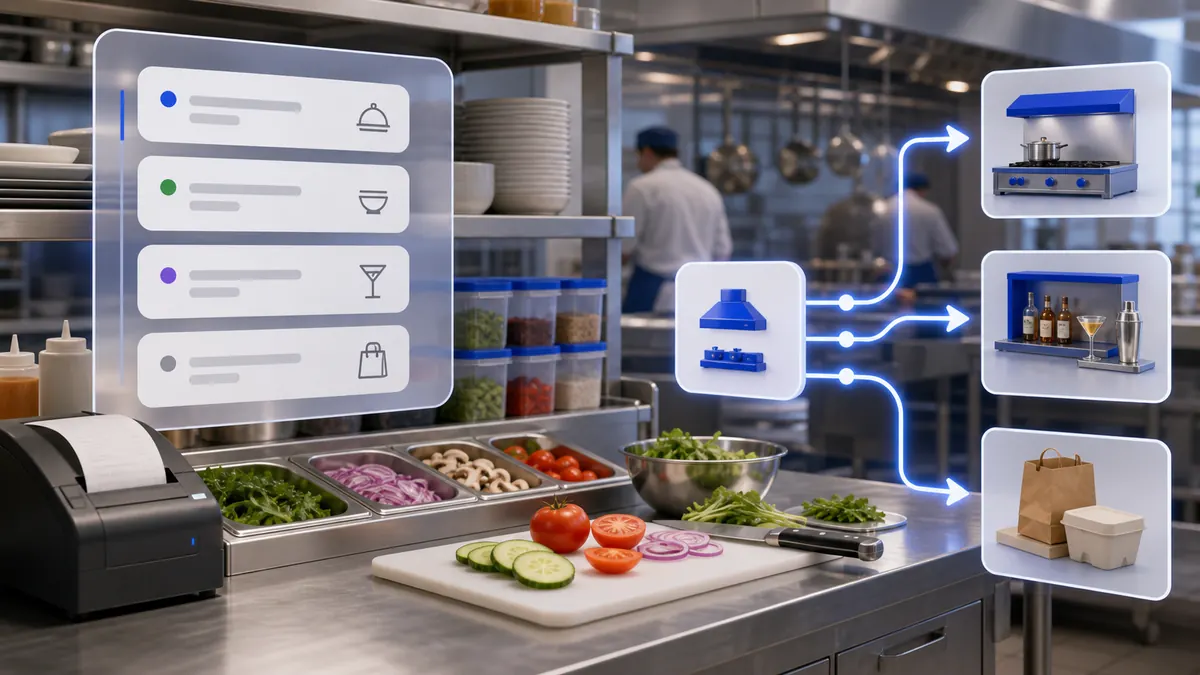
Products can be routed to the correct kitchen, workshop, packing station, or production line.
Use the interactive screenshot walkthrough first. Switch steps with the step dots, then read what to fill and why it matters.
Fields on this screen
Production area list
How to fill: Open the list first and check whether the kitchen, workshop, or station already exists.
Why: Duplicates split products, printing, stock consumption, and reporting.
Add
How to fill: Click Add to create a new row from the real SABSUS form.
Why: The form receives a new ID and loads the available establishment and storage options.
Name
How to fill: Name the kitchen, workshop, bar line, packing area, or production station in the active language.
Why: Staff, production tickets, and kitchen screens use this name.
Name translations
How to fill: Open the three-dot translation control and fill every enabled language.
Why: Multilingual teams and future AI agents need the same production area name in every active language.
Establishment
How to fill: Open In establishment and confirm the branch where this production area operates.
Why: Orders from another branch should not route to this area.
Storage
How to fill: Open Storage and confirm the warehouse this area consumes from.
Why: Stock write-off, ingredient consumption, and cost calculation depend on this link.
Print kitchen tickets
How to fill: Enable only when production tickets should actually print for this area.
Why: Avoids sending tickets to nonexistent printers or missing real kitchen tasks.
Save
How to fill: Save after name, establishment, storage, and ticket printing are checked.
Why: Unsaved rows cannot be reliably used by products, orders, receipts, reports, or agents.
Verify row
How to fill: Return to the list and confirm the row shows the correct name, location, storage, and print switch.
Why: This proves the production area was written and loaded back from the database.
Connect products
How to fill: After saving, connect menu items, ingredients, or semi-finished products to this production area where the product form supports it.
Why: The workshop does nothing operationally until products route to it.
Common mistakes
- Creating a workshop before the establishment and storage exist.
- Opening Production area directly before establishment and storage data has loaded, then thinking the selectors are missing.
- Leaving the workshop name in only one language when the company uses multiple languages.
- Assigning the wrong storage, which makes stock write-off and product cost incorrect.
- Turning on ticket printing when no printer or kitchen ticket workflow exists.
- Forgetting to connect products to the production area after saving it.
- Changing production areas directly in Supabase without refreshing company.loadproduction.
AI Agent Field Reference for implementation
This block is intentionally below the human instructions. It explains storage names and downstream dependencies for automation, support, and future AI agents.
| Field | Stored as | Purpose | Why it matters |
|---|---|---|---|
| Production area ID | production_areas.id | Unique row ID for the workshop or production station. | Products, production tickets, support, imports, and AI agents need a stable identifier. |
| Company | production_areas.company | Workspace that owns the production area. | Prevents workshops from leaking between companies. |
| Name translations | production_areas.name[] | Workshop name stored as language/text objects. | Staff, kitchen screens, reports, imports, and AI explanations need a readable name in the active language. |
| Establishment | production_areas.establishment | Branch or location where the production area works. | Orders from another branch should not route to this kitchen, bar, packing station, or workshop. |
| Storage | production_areas.storage | Warehouse that supplies this production area. | Ingredient consumption, semi-finished production, stock write-off, and cost calculation depend on this link. |
| Print kitchen tickets | production_areas.print_receipt | Controls whether production tickets should print for this area. | Wrong print settings create missing, duplicated, or unnecessary kitchen tickets. |
| Printer list | production_areas.printer[] | Printer references connected to the production area when configured. | Printing only works reliably when the selected printer exists and is connected to this workflow. |
| Created at | production_areas.created_at | Timestamp when the row was created. | Useful for support, audit, import diagnostics, and training data freshness. |
| Updated at | production_areas.updated_at | Timestamp when the row was last changed. | Agents and support can see whether stale cached data may be involved. |
| Reload marker | company.loadproduction | Company timestamp used to reload production areas. | After native or backend changes the app needs this marker to refresh workshop data. |
| Storage reload marker | company.loadstorage | Company timestamp used to reload storage data. | The workshop form depends on available storage records. |
| Establishment reload marker | company.loadlocation | Company timestamp used to reload establishments. | The workshop form depends on available branch records. |
| Product connection | products.production_area / products.productionArea | Product reference to the production area. | A saved workshop starts routing work only after products are connected to it. |
| Order production flag | orders.sendToProduction | Order or item state that sends work to production. | Kitchen screens and ticket workflows need this flag to decide what should be prepared. |
| Production comment | orders.commentForProduction | Internal preparation comment for production staff. | Keeps workshop instructions separate from customer comments. |
Related guides
Use these guides to connect this section to adjacent SABSUS workflows.