Step-by-step instructions
A manager can create a product that appears in the correct sales channels, uses the right tax and production rules, shows clear media and descriptions, and can be trusted by orders, reports, customer screens, warehouse logic, and future AI agents.
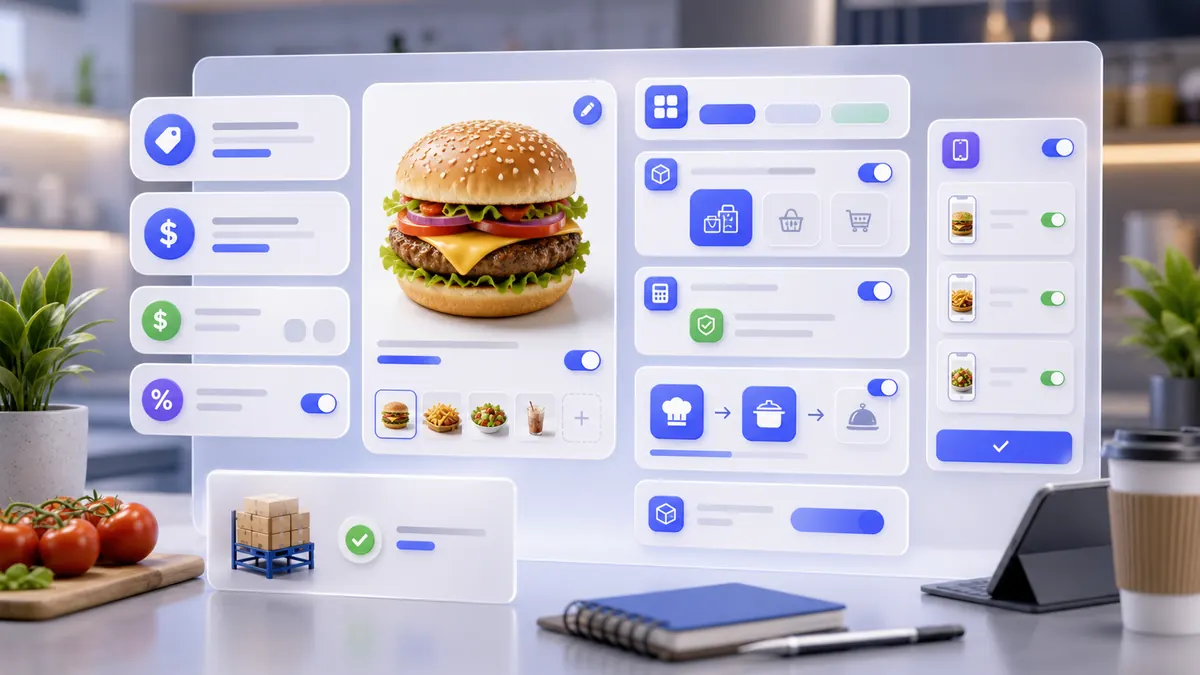
Use the interactive screenshot walkthrough first. Switch steps with the step dots, then read what to fill and why it matters.
Fields on this screen
Products list
How to fill: Open Products and check existing rows before adding a new item.
Why: This prevents duplicates and gives a verification point after saving.
Add
How to fill: Click Add and choose Product for a normal sellable item.
Why: The selected type decides which catalog, stock, and order fields appear.
Availability and channels
How to fill: Review the main availability switch plus app, web, menu screen, kiosk, catering, delivery, pickup, and dine-in switches.
Why: These switches define exactly where the product can be seen and sold.
Product name
How to fill: Type the product name in the active interface language and open translations for other enabled languages.
Why: Names appear in POS, customer app, receipts, reports, search, and AI explanations.
Brand, tags, video
How to fill: Fill brand, tags, and YouTube link only when they help identify or explain the item.
Why: They improve filtering, search, imports, staff training, and customer education.
Locations
How to fill: Open In locations and choose only branches where the product can actually be sold.
Why: Locations prevent selling unavailable items in the wrong branch.
Categories
How to fill: Open Categories and select the catalog group.
Why: Categories control navigation, customer app structure, reports, and imports.
Product photo
How to fill: Upload a square, clear product photo.
Why: The photo is the primary visual identifier in menus and order screens.
Tax
How to fill: Scroll down, open Tax, and choose the correct tax rule.
Why: Tax affects totals, receipts, reports, and compliance.
Production area
How to fill: Open Production areas and choose the kitchen, workshop, or station that prepares this product.
Why: Orders must route preparation to the right operational area.
Unit of measurement
How to fill: Open Unit of measurement and choose how the item is counted or measured.
Why: Stock, recipes, packaging, and explanations need a unit.
Stock and dimensions
How to fill: Fill stock tracking, sort number, weight, minimum stock, oversell behavior, and dimensions only when they matter to the product.
Why: These fields drive warehouse reliability, delivery, packaging, and purchasing decisions.
Descriptions
How to fill: Fill short description, app description, and preparation process in the active language.
Why: Customers need value text; staff and agents need operational preparation context.
Background image
How to fill: Upload a wide image for product-detail or customer-facing layouts.
Why: It makes the product page visually clear without relying only on text.
Price and barcode
How to fill: Fill final price, cost/markup context if shown, barcode, bonuses, and old price.
Why: These values affect orders, scanning, loyalty, reports, promotions, and customer display.
Modifier Sets
How to fill: Enable product modifications and open the selector when the item has sizes, toppings, sauces, add-ons, or specifications.
Why: Modifier sets make customer choices structured and reportable.
Nutrition
How to fill: Fill proteins, fats, carbohydrates, kcal, and per-kcal data when the business displays nutrition.
Why: Nutrition values support customer information, compliance, and future recommendations.
Product label
How to fill: Add a short badge such as Chef pick and choose readable label colors.
Why: Labels highlight products without changing their real names.
Packaging
How to fill: Open Packaging and order type when the product consumes a package for delivery, pickup, or catering.
Why: Packaging rules can write off supplies and explain packaging costs.
Save
How to fill: Save only after media, names, category, locations, tax, production, unit, price, modifiers, nutrition, packaging, and visibility are reviewed.
Why: Saved product data becomes the trusted source for orders, customer screens, reports, warehouse logic, and AI agents.
Verify row
How to fill: Return to the Products list and confirm the row shows the expected name, category, price, unit, tax, and availability.
Why: Verification proves the product was written and loaded back from the real database.
Common mistakes
- Creating a product without checking whether the same item already exists.
- Filling only one language when the company uses multiple active languages.
- Uploading no photo or using a photo that does not clearly show the product.
- Leaving the product visible in a branch that cannot sell or prepare it.
- Choosing the wrong category, which breaks menu navigation and reports.
- Publishing without tax or with the wrong tax rule.
- Forgetting production area, so kitchen tickets or preparation tasks route incorrectly.
- Turning on stock tracking without unit, minimum stock, or realistic inventory process.
- Entering descriptions only for customers and skipping preparation instructions staff need.
- Adding modifiers in text but not connecting Modifier Sets.
- Skipping packaging for delivery items that should consume boxes, cups, bags, or containers.
- Changing products directly in Supabase without refreshing company.loadproduct.
AI Agent Field Reference for implementation
This block is intentionally below the human instructions. It explains storage names and downstream dependencies for automation, support, and future AI agents.
| Field | Stored as | Purpose | Why it matters |
|---|---|---|---|
| Product ID | products.id | Unique product row identifier. | Orders, product edits, imports, support, reports, and AI agents need a stable row ID. |
| Company | products.company | Company workspace that owns the product. | Prevents catalog rows from leaking between companies. |
| List number | products.number_list | Sorting number used in product lists. | Managers can keep important products in a predictable order. |
| Product type | products.type | Type such as product, ingredient, modifier, package, or technological card. | The type controls which fields and workflows apply to the row. |
| Technical card link | products.texcart | Technical card or production recipe reference when used. | Recipes, ingredient consumption, and cost logic depend on this connection. |
| Available | products.available | Main availability flag for the item. | Unavailable products should not be sold as active items. |
| Available in app | products.available_in_app | Customer app visibility flag. | Internal products can stay hidden from customer screens. |
| Website visibility | products.web | Whether the product appears on web ordering screens. | Web menus should show only products ready for online ordering. |
| Self-service station | products.selfStation | Whether the item appears on kiosk or self-service screens. | Kiosk menus need controlled availability. |
| Menu screen / TV | products.tv | Whether the item appears on menu display screens. | Menu boards should not show hidden or unavailable items. |
| Order type visibility | products.catering / products.delivery / products.pickup / products.location | Controls catering, delivery, pickup, and dine-in availability. | A product may be sellable in one order flow but not another. |
| Name translations | products.name[] | Product name per enabled language. | Staff, customer app, receipts, reports, imports, and AI answers need the right name in the current language. |
| Product photo | products.photos[] | Square media objects stored in Supabase Storage. | Photos make products recognizable in POS, customer app, and catalog lists. |
| Background image | products.background_image | Wide media object for customer-facing product cards. | The background gives the product detail screen a clear visual identity. |
| Establishments / locations | products.establishments[] | Establishment IDs where the product is available. | Prevents selling an item in branches that cannot prepare or stock it. |
| Category | products.category[] | Product category IDs. | Categories drive catalog navigation, filtering, reporting, customer app structure, and imports. |
| Brand | products.brand | Brand, supplier, or internal line label. | Useful for search, imports, filtering, and explaining similar products. |
| Tags | products.tags[] | Search and grouping tags. | Tags improve internal search, recommendations, imports, and future automated matching. |
| YouTube link | products.youtube[] | Optional training or marketing video links. | Video can explain preparation, usage, or customer value. |
| Taxes | products.taxes[] / products.type_tax | Tax rule IDs and tax type metadata. | Taxes affect order totals, receipts, reports, and legal explanations. |
| Production area | products.production_area[] | Kitchen, workshop, or production station IDs. | Orders and production tickets route the item to the correct preparation area. |
| Unit of measurement | products.unit_of_measurement | Unit such as pcs, kg, liter, portion, or oz. | Stock, packaging, recipes, price explanation, and AI answers need explicit units. |
| Consider stock levels | products.stoking | Whether inventory control is enabled for the product. | Stock alerts and oversell rules depend on this flag. |
| Allow oversell | products.oversell | Whether sales can exceed available stock. | Strict stock businesses should disable oversell; flexible businesses may reconcile later. |
| Minimum stock | products.minstock | Low-stock threshold. | Managers can reorder before the product runs out. |
| Weight / gross | products.gross | Weight or amount per product unit. | Used for delivery, packaging, warehouse, recipes, and cost calculations. |
| Dimensions | products.width / products.length / products.height | Physical product dimensions. | Useful for packaging, delivery, storage, and import logic. |
| Appointment | products.appointment | Whether the product behaves like a booking or appointment service. | Service products need scheduling logic that normal products do not. |
| Agreement signing | products.sing | Whether signing is required for the item. | Restricted services, rentals, or agreements can require customer confirmation. |
| Short description | products.short_description[] | Short product summary per language. | Catalog cards and compact screens need a brief explanation. |
| Description | products.description[] | Long customer-facing product description per language. | Customer app, staff guidance, recommendations, and AI answers depend on this text. |
| Preparation process | products.preparation_process[] | Internal or visible preparation instructions per language. | Production staff and support need to know how the item is prepared. |
| Price | products.price | Base selling price. | Orders, customer screens, reports, promotions, and receipts use this value. |
| Barcode / QR code | products.qr_code | Barcode or scannable product code. | Scanning, imports, and external mapping use this value. |
| Excise goods code | products.excise_tax_on_goods | Excise or regulated-goods code when applicable. | Fiscal and restricted-product workflows may need this value. |
| Bonus cost | products.bonuscost | Bonus cost or loyalty value attached to the product. | Loyalty calculations and customer balance explanations depend on it. |
| Award bonuses | products.difficultBonus | Bonus amount awarded for the item. | Defines how many loyalty points a product can grant. |
| Old price | products.oldprice / products.oldpricelist | Previous or crossed-out price values. | Promotions and customer UI can show discount context. |
| Different prices | products.differentPrice / products.prices[] | Price overrides by context, location, or order type. | Branches and order flows may need different price rules. |
| Modifier sets | products.list_options[] | Connected set_options IDs. | Toppings, sizes, sauces, and other controlled choices appear through these sets. |
| Nutrition | products.proteins / products.fat / products.carbohydrates / products.calories / products.perkkal | Nutrition values for the item. | Customer menus, compliance, and recommendations can explain nutritional data. |
| Product label | products.label / products.colorlabel / products.colortext | Badge text and colors shown on product cards. | Labels highlight items without changing the product name. |
| Packaging | products.packaging[] | Packaging products or rules connected to this item. | Delivery and pickup can write off boxes, cups, bags, and other supplies. |
| Integration mapping | products.integration[] | External product or provider references. | Integrations need stable mapping to avoid duplicate imported products. |
| Cleaning / cooking flags | products.cleaning / products.boiling / products.frying / products.stewing / products.baking | Preparation method flags used by some product types. | Production, recipes, and support can describe how the item is handled. |
| Created / updated timestamps | products.created_at / products.updated_at | Audit timestamps for the product row. | Support and agents can tell whether data is fresh. |
| Reload marker | company.loadproduct | Company timestamp used to reload product data. | Native or backend edits need this marker so the app refreshes products. |
Related guides
Use these guides to connect this section to adjacent SABSUS workflows.