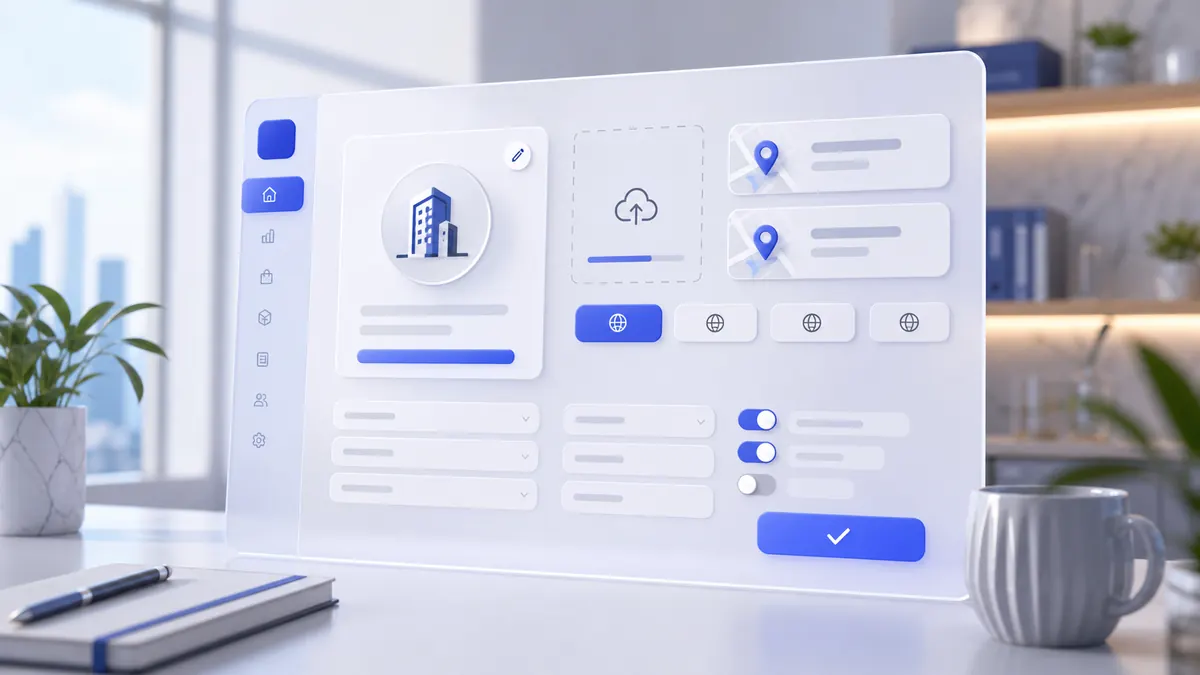
Step-by-step instructions
The company profile becomes complete enough for receipts, orders, customer screens, staff workflows, stock, taxes, and later automation.
Use the interactive screenshot walkthrough first. Switch steps with the step dots, then read what to fill and why it matters.
Fields on this screen
Company login
How to fill: Do not edit unless the workspace ID is wrong.
Why: This ID is the root key for company data.
Logo
How to fill: Upload the real company logo, square if possible.
Why: It appears in admin, customer-facing screens, receipts, and brand areas.
Company mailing address
How to fill: Fill the official mailing address for documents and contact records.
Why: Notices, documents, and business contact data can use this address.
Company address
How to fill: Fill the real operating address of the business.
Why: Maps, delivery origin, tax context, receipts, and public company information depend on it.
Interface languages
How to fill: Select only the languages the company will really use.
Why: Product names, descriptions, receipts, customer app text, and staff screens need content in enabled languages.
Title in each enabled language
How to fill: Enter the compact brand title for every enabled language.
Why: These short titles appear in lists, navigation, orders, compact UI, and customer-facing screens.
Full company name in each enabled language
How to fill: Enter the official legal business name for every enabled language.
Why: Receipts, invoices, contracts, fiscal documents, and compliance use this value.
Tax number
How to fill: Enter the official tax identifier if the business has one.
Why: Invoices, fiscal receipts, tax reports, and compliance checks depend on this value.
Registration number
How to fill: Enter the company registration number if the jurisdiction uses one.
Why: Business verification, legal documents, and accounting records may require it.
Company country
How to fill: Choose the country where the company operates.
Why: Phone format, regional defaults, tax assumptions, currency, and address behavior depend on the country.
Add phone number button
How to fill: Click the plus button when the company needs more than one phone number.
Why: Separate numbers keep support, delivery, branch, and public contact lines clear.
Phone numbers
How to fill: Use the plus button to add every public or operational phone number the business needs.
Why: Customers, delivery staff, receipts, and support workflows need reliable phone contacts.
How to fill: Enter the public business email, not necessarily the owner's login email.
Why: Receipts, customer support, integrations, notifications, and company contact screens use it.
Include taxes switch
How to fill: Turn it on only when product prices already include tax.
Why: Orders, receipts, tax lines, and total explanations change depending on this switch.
Round order amount switch
How to fill: Turn it on only if the business rounds final order totals.
Why: Staff and customers need an explanation when the displayed total differs from the exact calculated amount.
Quick employee switching switch
How to fill: Turn it on for terminals where employees switch by PIN during service.
Why: It speeds up POS work but must match the company's accountability and security process.
Technical cards and semi-finished products switch
How to fill: Turn it on when products consume ingredients, recipes, or semi-finished production items.
Why: This connects products to warehouse stock, workshops, cost calculation, and production flow.
Track employee working hours switch
How to fill: Turn it on when SABSUS should record staff work time.
Why: Attendance, payroll context, productivity reports, and shift control depend on it.
Advertising banner scroll time
How to fill: Set how long customer-facing banners stay visible before switching.
Why: This controls how promotions rotate in the customer interface.
Customer group
How to fill: Choose the group automatically assigned to newly registered customers.
Why: Default group affects CRM segmentation, loyalty, discounts, and marketing rules.
Dollar exchange rate
How to fill: Fill this only if the company uses USD conversion or reseller calculations.
Why: Price conversion and financial explanations must use the same rate.
Reseller order split time
How to fill: Set this only when reseller order separation is used.
Why: It controls how reseller orders are divided for operations and reporting.
Save
How to fill: Press Save only after all fields and switches are checked.
Why: Saving writes the profile values that orders, receipts, reports, customer screens, and agents rely on.
Tariff plan
How to fill: Do not edit manually unless support or the billing flow requires it.
Why: The tariff controls feature availability, limits, and billing context.
AI assistant visibility
How to fill: Enable it only when the company should see AI assistant features.
Why: Agents and support must know whether AI features are intentionally available or hidden.
Currency
How to fill: Use the operating currency for the company.
Why: Orders, reports, accounts, receipts, and financial explanations must use the same currency.
Common mistakes
- Leaving the legal name, tax number, or address empty when receipts or invoices are needed.
- Changing tax behavior after products and payment methods are already configured without rechecking order totals.
- Using one language in settings while product names are missing in that language.
- Treating tariff plan as a visual label only; it can affect feature availability.
AI Agent Field Reference for implementation
This block is intentionally below the human instructions. It explains storage names and downstream dependencies for automation, support, and future AI agents.
| Field | Stored as | Purpose | Why it matters |
|---|---|---|---|
| Company ID | Companies.id / company.login | Unique company workspace identifier. | All company records, users, orders, settings, and integrations depend on this root ID. |
| Logo | company.logo | Company image shown in admin, customer app, receipts, or payment screens. | Improves recognition and helps staff distinguish companies or tenants. |
| Short name | company.name | Compact company display name. | Used in navigation, lists, customer screens, and compact UI areas. |
| Full legal name | company.fullName | Official company name. | Used for documents, receipts, invoices, legal pages, and compliance. |
| Languages | company.languages | Enabled interface and content languages. | Controls which labels, names, descriptions, and customer app text can be shown. |
| Country | company.country | Primary country or region. | Affects phone format, tax behavior, currency defaults, and address logic. |
| Postal address | company.postalAddress | Public or mailing address. | Can appear in documents, receipts, and support screens. |
| Company address | company.address | Operational company address. | Used for maps, tax location, delivery origin, and public profile. |
| Tax number | company.taxNumber | Business tax identifier. | Needed for compliance, invoices, and fiscal receipts. |
| Registration number | company.registrationNumber | Company registration identifier. | Supports legal documents and business verification. |
| Phone numbers | company.phones | Public or operational company phones. | Used in customer app, delivery, receipts, and support. |
| Add phone number | company.phones[] | Adds one more public or operational phone line. | Separate phone records let a company keep support, delivery, and branch contact numbers clear. |
company.email | Company contact email. | Used for receipts, customer support, integrations, and admin communication. | |
| Include taxes | settings.includeTaxes | Whether prices include tax by default. | Changes how orders and receipts explain tax and totals. |
| Round order amount | settings.roundOrderAmount | Whether order amount is rounded. | Agents must mention rounding when amount differs from exact item totals. |
| Quick employee switching | settings.quickEmployeeSwitching | Allows terminal user switching by PIN or quick action. | Useful for POS speed but important for staff accountability. |
| Technical cards and semi-finished products | settings.useTechnicalCards | Enables recipe, semi-finished product, and production-card stock logic. | Connects products to ingredients, warehouse consumption, workshop production, and cost calculation. |
| Employee time tracking | settings.employeeTimeTracking | Tracks work time for staff. | Feeds payroll, attendance reports, and productivity analytics. |
| Advertising banner scroll time | settings.bannerScrollSeconds | How long promotional banners stay visible before switching. | Controls customer-facing banner rhythm and avoids changing ads too quickly or too slowly. |
| Customer group | settings.defaultCustomerGroup / company.customerGroup | Default group for newly registered users. | Controls default CRM segmentation, discounts, loyalty context, and marketing rules for new customers. |
| Dollar exchange rate | settings.dollarRate | Manual exchange-rate value when the business uses USD-based pricing or reporting. | Keeps price conversion, reseller calculations, and financial explanations consistent. |
| Reseller order split time | settings.resellerOrderSplitTime | Time used when separating or grouping reseller orders. | Controls how reseller workflows divide orders for processing and reporting. |
| Tariff plan | company.tariffplan | Subscription or pricing plan. | Controls available features, limits, and billing context. |
| AI assistant visibility | settings.aiAssistant | Controls AI assistant availability in the workspace. | Agents must know when AI features are intentionally disabled. |
| Currency | settings.currency | Default money unit. | All financial explanations must use the configured currency. |
Related guides
Use these guides to connect this section to adjacent SABSUS workflows.