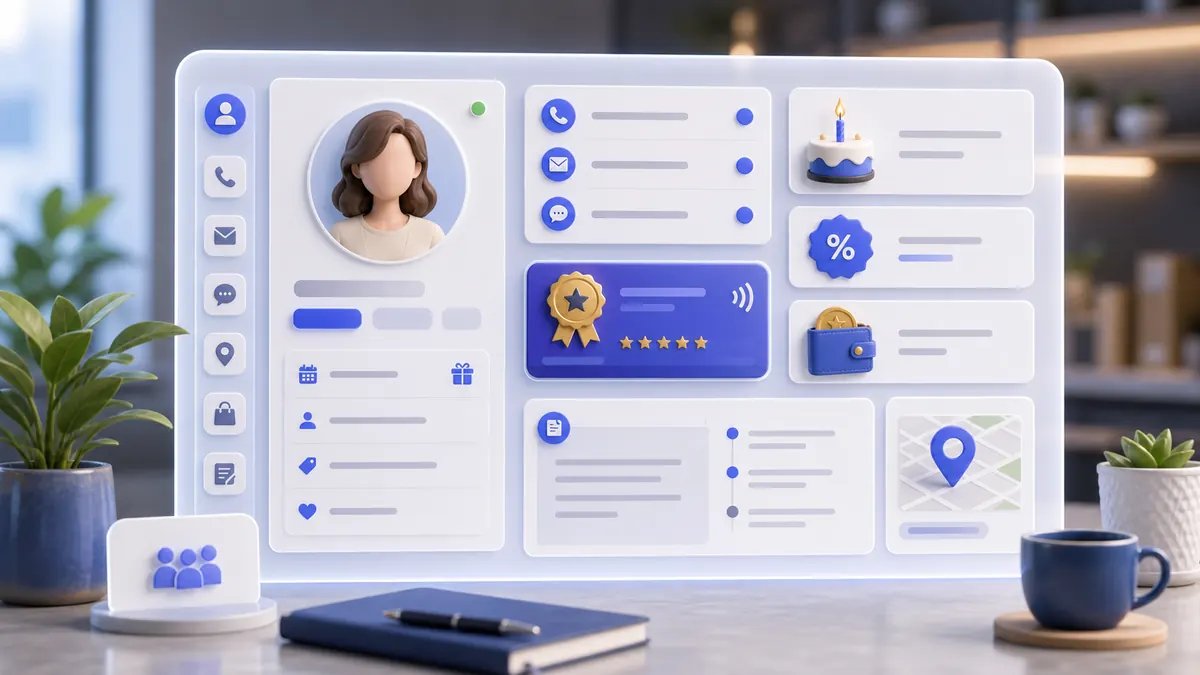
Step-by-step instructions
A manager can find a customer, prevent duplicates, save reliable contact data, and use the profile in CRM, orders, delivery, receipts, loyalty, support, and the customer app.
Use the interactive screenshot walkthrough first. Switch steps with the step dots, then read what to fill and why it matters.
Fields on this screen
Clients list
How to fill: Start from the list and check existing profiles.
Why: Duplicate profiles split order history, bonuses, delivery addresses, and support notes.
Search
How to fill: Search by name, phone, or email before creating a new card.
Why: The fastest duplicate check happens before the Add button is pressed.
Add
How to fill: Click Add only after confirming the client does not already exist.
Why: The new card should represent one real customer.
Photo
How to fill: Upload a clear customer photo when the business uses visual identification.
Why: Photo reduces wrong customer selection in busy CRM and service screens.
First and last name
How to fill: Enter the customer's real first name and last name.
Why: Names are used in search, order cards, delivery, and customer communication.
How to fill: Use the customer's actual email, typed in lowercase when possible.
Why: It can become the login identity and is important for receipts and support.
Phone
How to fill: Use the full phone number with country code.
Why: Delivery, SMS, support calls, and duplicate checks depend on consistent phone data.
Date of birth
How to fill: Open the date picker and verify the saved birthday.
Why: Birthday campaigns and loyalty rewards need a real date.
Personal discount
How to fill: Fill only when this individual customer has a special discount.
Why: Individual discounts should be intentional because they affect margin and receipts.
Discount card
How to fill: Enter the card or membership number exactly as issued.
Why: Staff can link physical or external loyalty cards to this profile.
Short description
How to fill: Write a short operational summary in the active interface language.
Why: This gives staff quick context without reading a long comment.
Registration number
How to fill: Fill when the customer has an external registration, membership, or accounting code.
Why: It keeps customer records connected to external systems or documents.
Comment
How to fill: Use internal wording for staff notes and service context.
Why: Comments help future staff and AI assistants understand customer-specific handling.
Save
How to fill: Save only after contacts, photo, discount, card, description, registration, and comment are checked.
Why: Unsaved customer data is not available to CRM, orders, delivery, or customer app.
Verify
How to fill: Return to the list and search the saved email or name.
Why: Verification confirms that the customer was actually stored and can be found.
Common mistakes
- Creating a new profile without searching existing clients first.
- Using fake contact data that staff cannot use for delivery, receipts, or support.
- Putting public-facing text into the internal comment or internal notes into the short description.
- Entering a personal discount without a business reason or approval.
- Forgetting to save after uploading the photo and filling the fields.
- Assuming the customer exists in CRM without verifying the saved row in the list.
AI Agent Field Reference for implementation
This block is intentionally below the human instructions. It explains storage names and downstream dependencies for automation, support, and future AI agents.
| Field | Stored as | Purpose | Why it matters |
|---|---|---|---|
| Client document ID | users/{documentId} | Firestore document that stores the customer profile. | Orders, CRM, delivery, support, customer app, and automations need one stable customer record. |
| Auth user ID | users.uid | Firebase Auth UID created for the customer account. | Access recovery, notifications, customer app login, and ownership checks use this identifier. |
| Company | users.CompanyID | Company workspace that owns the client. | Prevents customers from leaking between companies. |
| First name | users.Firstname | Customer first name. | Used in search, order assignment, CRM, delivery, and personal communication. |
| Last name | users.Lastname | Customer last name. | Helps distinguish clients with similar first names and supports formal records. |
| Display name | users.display_name | Combined visible customer name. | Lists, dropdowns, order cards, and support screens need a readable name. |
users.email | Customer email address. | Used for login, receipts, notifications, support, and duplicate checks. | |
| Phone | users.Phone / users.phone_number | Customer phone number. | Delivery, order confirmation, SMS, support, and customer lookup depend on it. |
| Photo | users.Photo | Customer avatar or uploaded photo. | A real photo helps staff identify the correct customer when names are similar. |
| Date of birth | users.BF | Birthday date for the customer. | CRM segmentation, birthday rewards, and personalized campaigns can use this value. |
| Personal discount | users.Discount | Customer-specific discount percentage. | Explains special pricing and should be visible to orders, receipts, and support. |
| Discount card | users.CardNumber | Membership or discount card number. | Staff can identify card-based customers and connect offline cards to the customer profile. |
| Short description | users.about / localized profile description | Short customer note shown in the selected interface language. | Gives quick context in CRM without opening long comments. |
| Registration number | users.Registration | External membership, registration, or accounting number. | Useful for legal, loyalty, membership, or accounting references. |
| Comment | users.Comment | Internal staff note for service context. | Managers can preserve important customer context without showing it as public profile text. |
| Address | users.Address | Saved customer addresses. | Delivery, orders, route planning, and support need reliable destination data. |
| Cars | users.Cars | Customer vehicle records if used by the business. | Car-related businesses need this for appointments, service history, and identification. |
| Customer group | users.GroupClient | Assigned loyalty or segmentation group. | Group rules drive discounts, bonuses, marketing, and CRM filtering. |
| Bonus balance | users.Bonus | Customer bonus or loyalty balance. | Orders, redemption, support, and customer app explanations depend on it. |
| Blocked | users.Bloked | Whether the client is blocked from normal activity. | Staff need to know if orders, app access, or communication should be restricted. |
| Notifications | users.NotificationPUSH / users.NotificationSMS / users.NotificationEmail | Customer communication preferences. | Messages and campaigns should respect the enabled channels. |
| Language | users.Language | Preferred customer interface language. | Customer app text, notifications, and support explanations should match the preferred language. |
| Created time | users.created_time | When the client profile was created. | Useful for audits, onboarding reports, and troubleshooting. |
| Last activity | users.LastDate | Last relevant customer activity date. | CRM and support can prioritize active or inactive customers. |
Related guides
Use these guides to connect this section to adjacent SABSUS workflows.